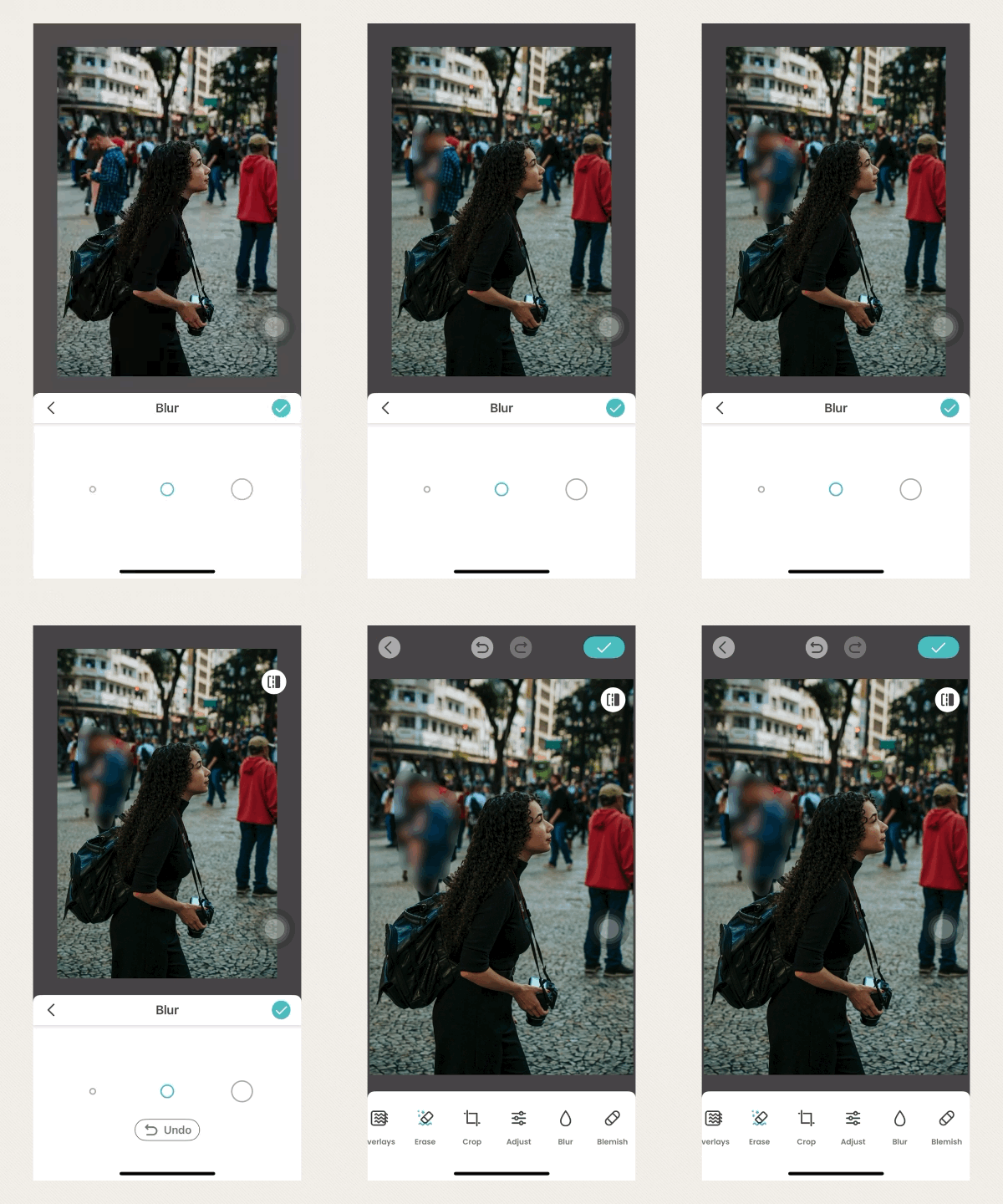
Have you ever taken an almost perfect photo but wished you could blur the background or hide certain objects to make the main subject stand out? If you're looking to apply a blur or mosaic effect, try our Blur and Blemish tools—available exclusively on iOS!
Please follow these simple steps:
Open the PicCollage app and tap"Edit Photos" on the home page.
Select the photo you’d like to edit.
Scroll through the bottom menu to find the“Blur” and“Blemish” tools.
Adjust the eraser size, then use your finger to brush over the areas you want to blur or hide.
Tip: You can tap the"Undo" button at any time if you make a mistake.
Tap the green check mark to save your changes—and you’re done!
We hope you enjoy using the Blur and Blemish features to make your photos stand out!
If you have any questions, feel free to contact us directly through the PicCollage app.