Hello PicCollage Community!
Want to adjust stickers in your collage to make your design more creative and polished? Our handy Flip feature can help!
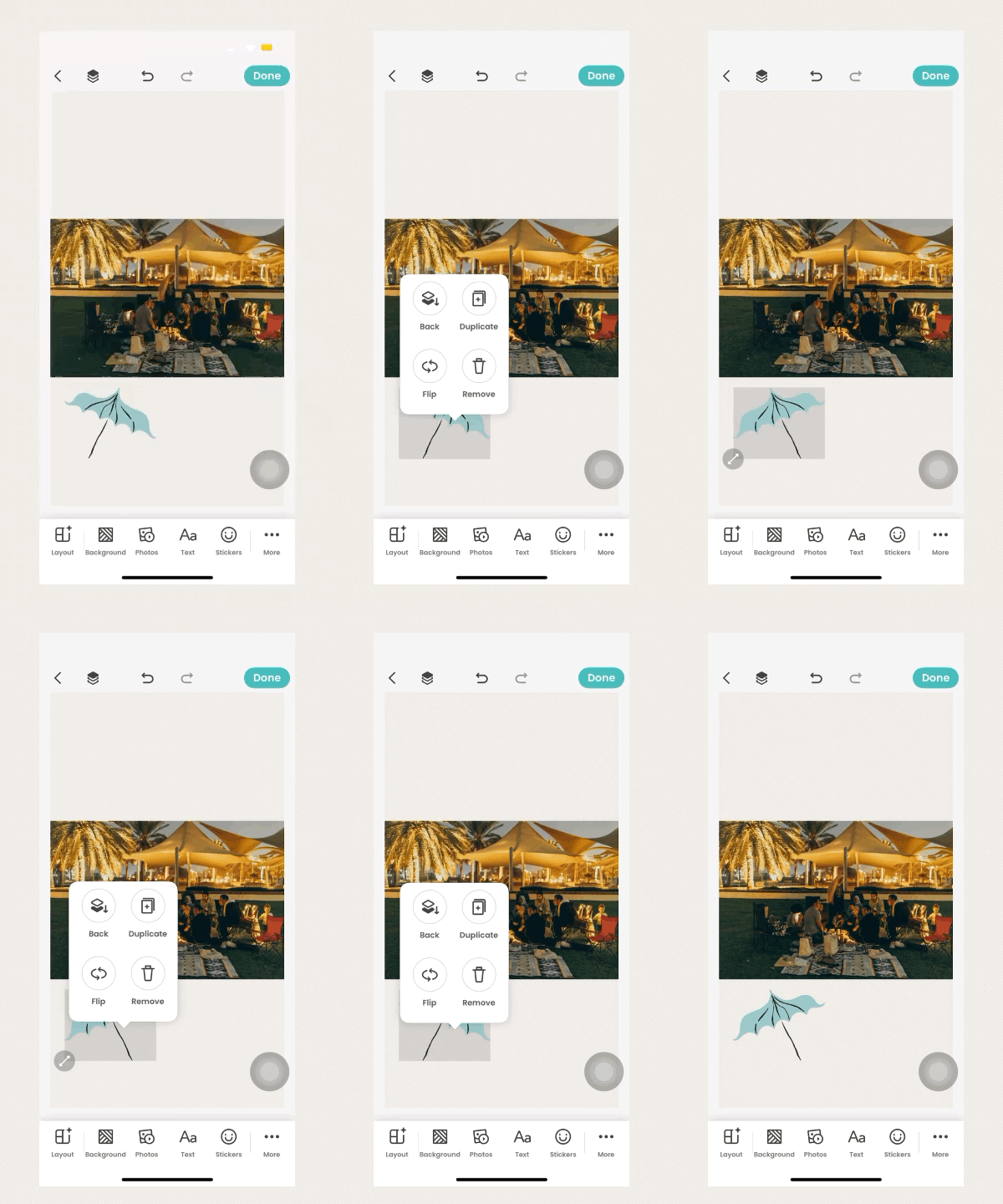
To use the Flip feature, just follow these steps:
- Open PicCollage and enter the collage editor.
- Add a sticker of your choice to the canvas.
- Double-tap the sticker and tap “Flip” in the pop-up menu.
That’s it! The sticker will flip automatically. You can tap Flip again or use the Undo button at the top of the editor to return it to its original orientation.
We hope you enjoy using this feature to create even more personalized and unique collages!
If you have any other questions, please feel free to contact us directly through PicCollage app.
For detailed instructions on how to reach us, please see this article: Contact the PicCollage Team!
Happy collaging! 🎉